
Symptom #
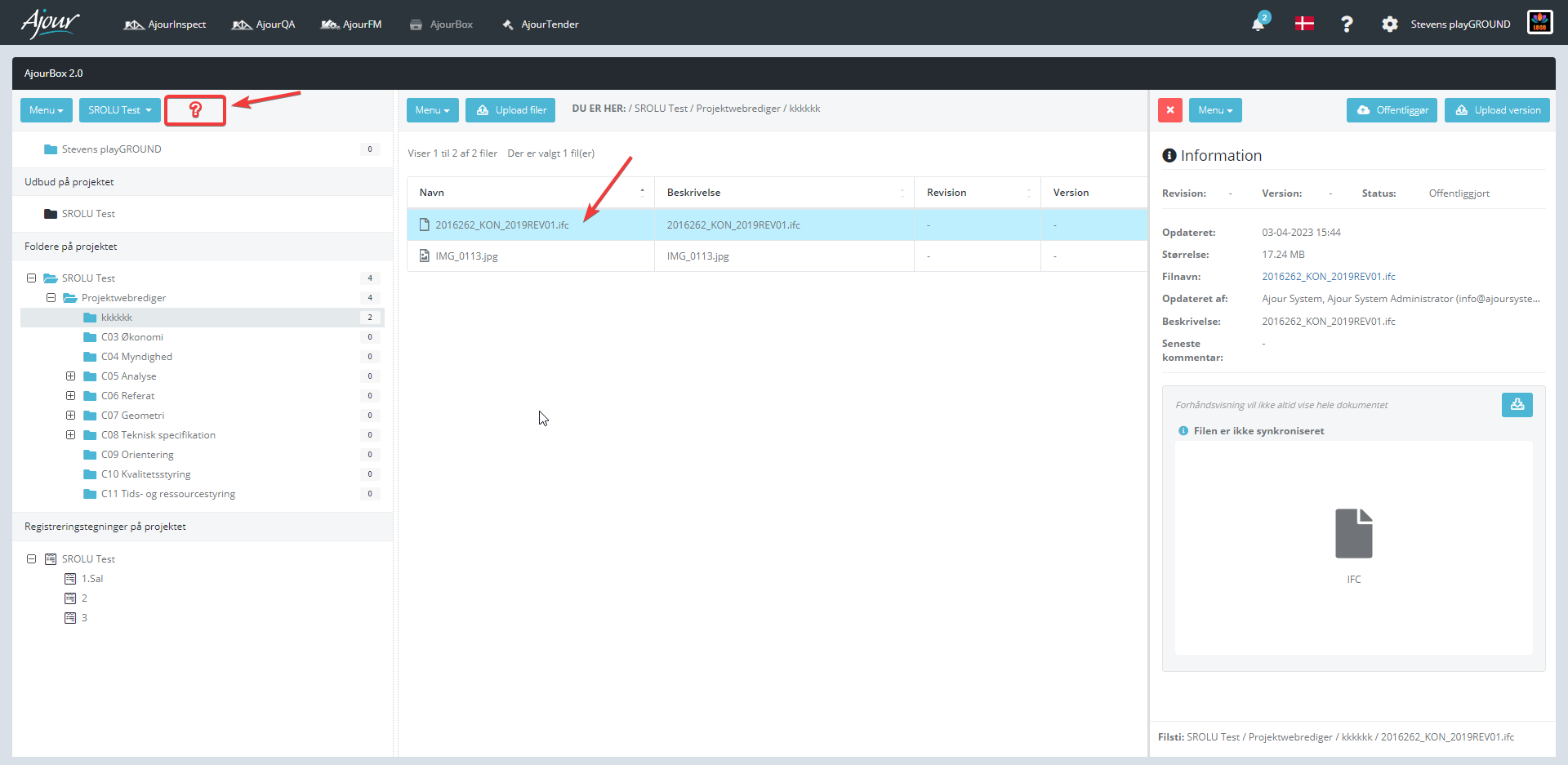
The user has uploaded an IFC file in AjourBox, but cannot see the file in the viewer.
Description #
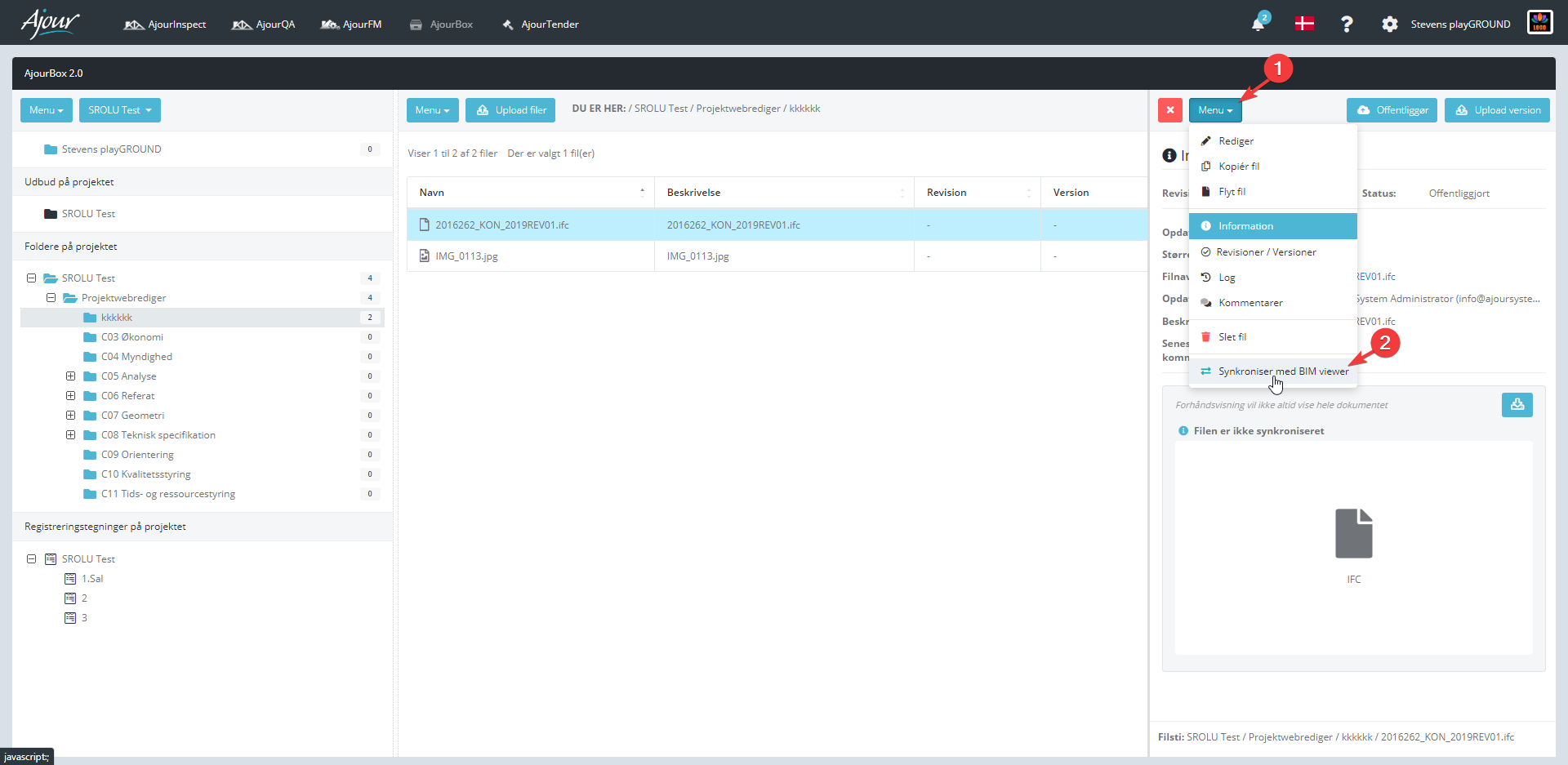
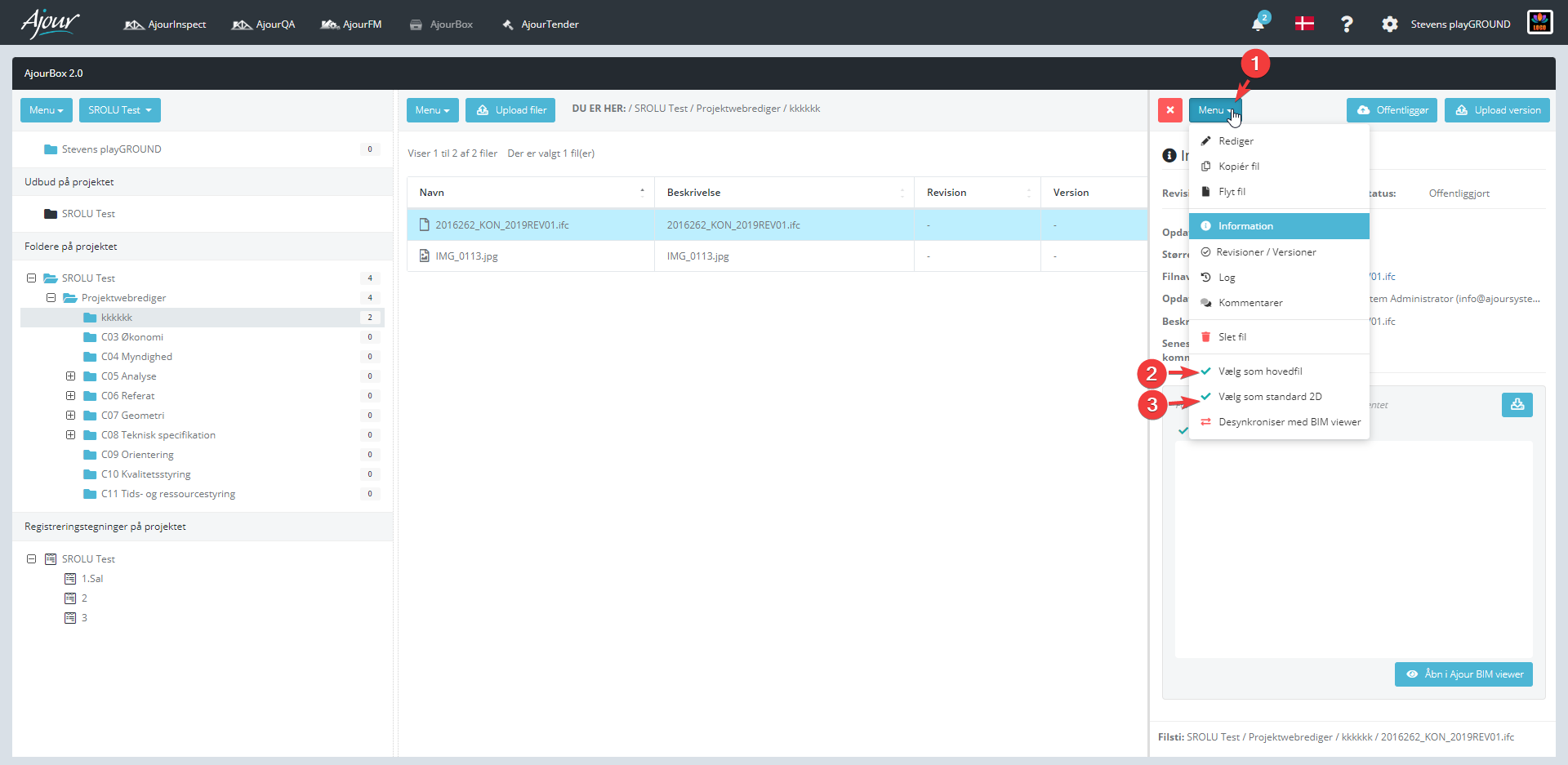
The issue occurs if the user has not synchronised the IFC file and set a default 2D/main file, as shown in the screenshots below.
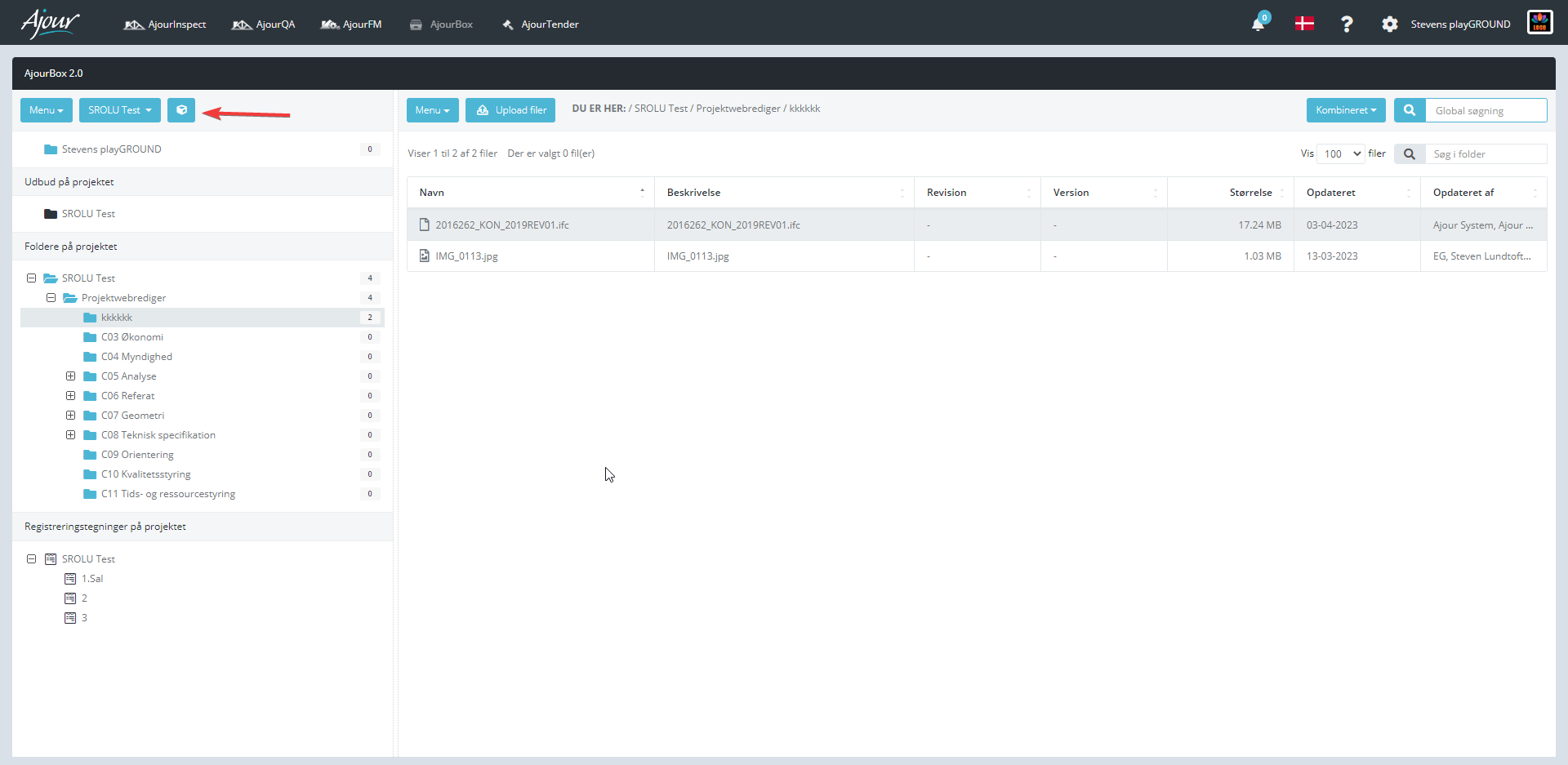
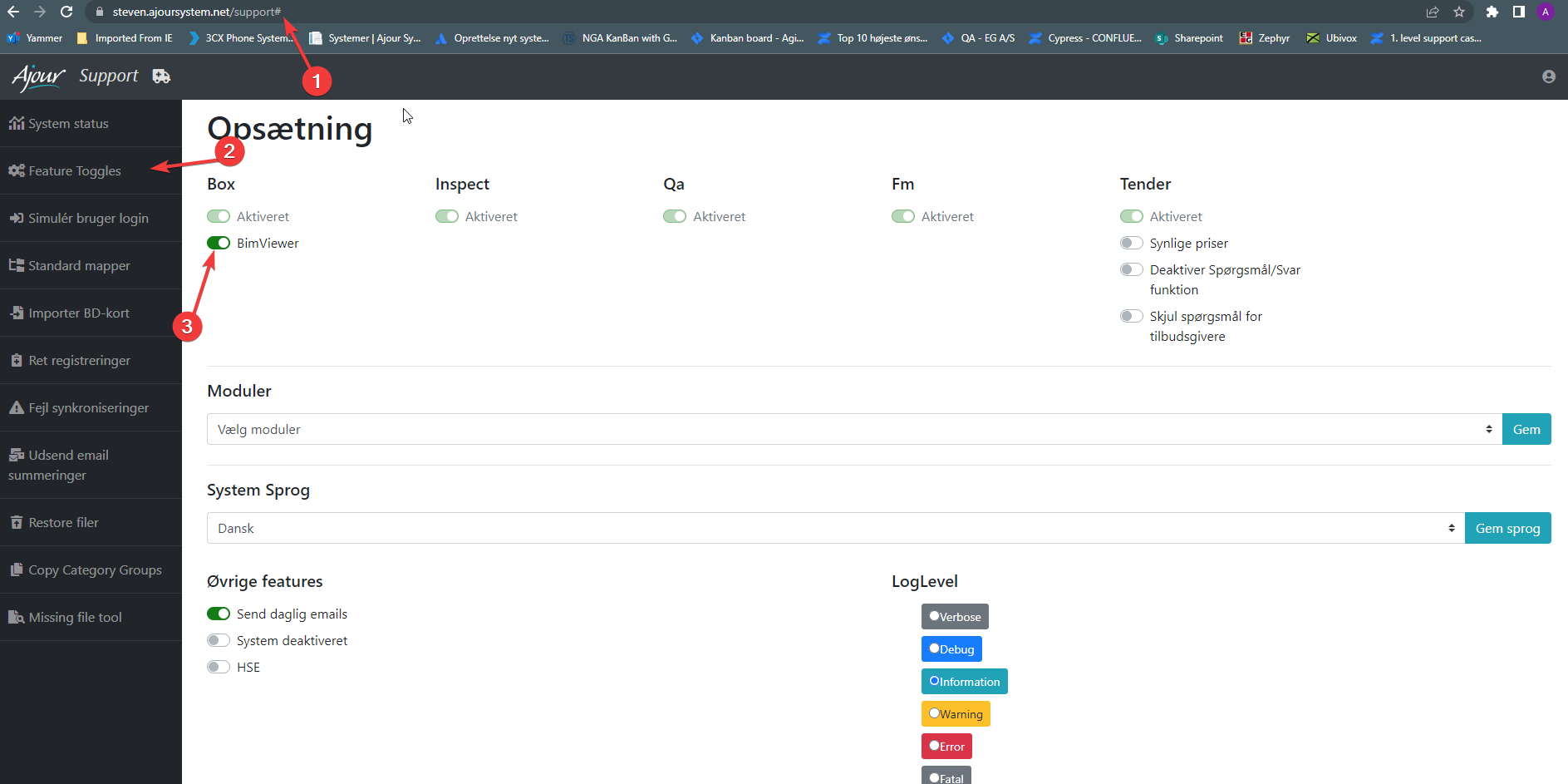
The last thing to check is that the BIM viewer may be disabled on the system. The feature can be found at "systemname".ajoursystem.net/support.
Solution #
Synchronise the IFC file and set it as the default 2D and main file, and verify that the BIM viewer is enabled in /support as shown above.


