
Skip to content
EG Ajour Help

EG Ajour Help

  • GuidesExpand
    • AjourBox
    • AjourTender
    • App
    • General
    • Inspect & QA
    • Users & permissions
  • English
  • Dansk
EG Ajour Help
EG Ajour Help

Inspect & QA

  • Import of categories
  • User can’t see their registrations/ drawings on registrations in inspect/QA
  • User cannot create registration
  • User cannot delete registration
  • User cannot see any registrations other than their own

Users & permissions

  • Modules are “greyed out” and not accessible for the user
  • Remove user from project

General

  • Nothing happens when printing / downloading files

App

  • The user’s registrations disappear as soon as the user has created them
  • The user cannot see registrations or drawings etc. when accessing a project
  • The user does not know what to enter in the “system” field (the top one of the 3 fields on the login page)
  • User cannot add images from their gallery to a registration, the gallery is empty or the app has not been granted permission to access it

AjourBox

  • BimViewer button not visible / Cannot see IFC file in the viewer
  • User cannot see global folders in AjourBox
  • User cannot see their folder in AjourBox (Tildelt folder)

AjourTender

  • User cannot submit a bid on Tender
  • Where can I find the link for the tender and ESPD?
View Categories
  • Home
  • Docs
  • Inspect & QA
  • User cannot create registration

User cannot create registration

< 1 min read

Symptom #

The user reports that they are unable to create a registration.

Description #

There can be several reasons.

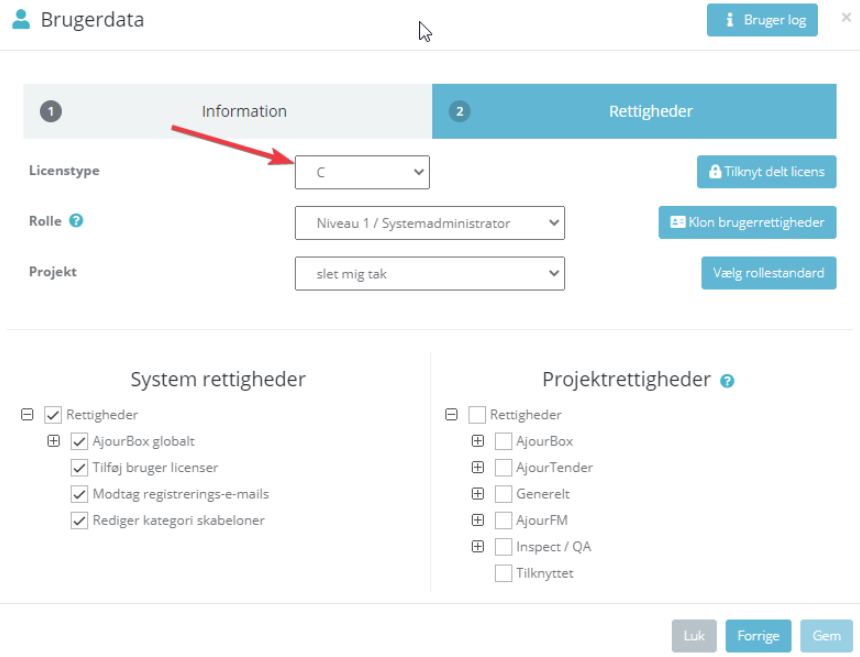
  1. The user does not have a "valid licence (A/B)"
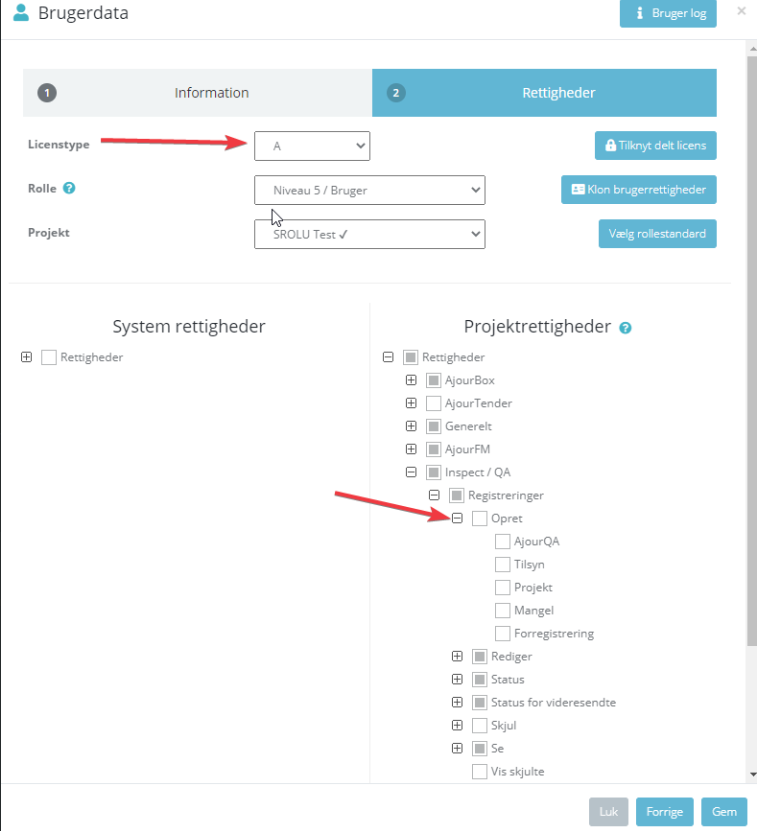
  1. The user does not have permission to create registrations.
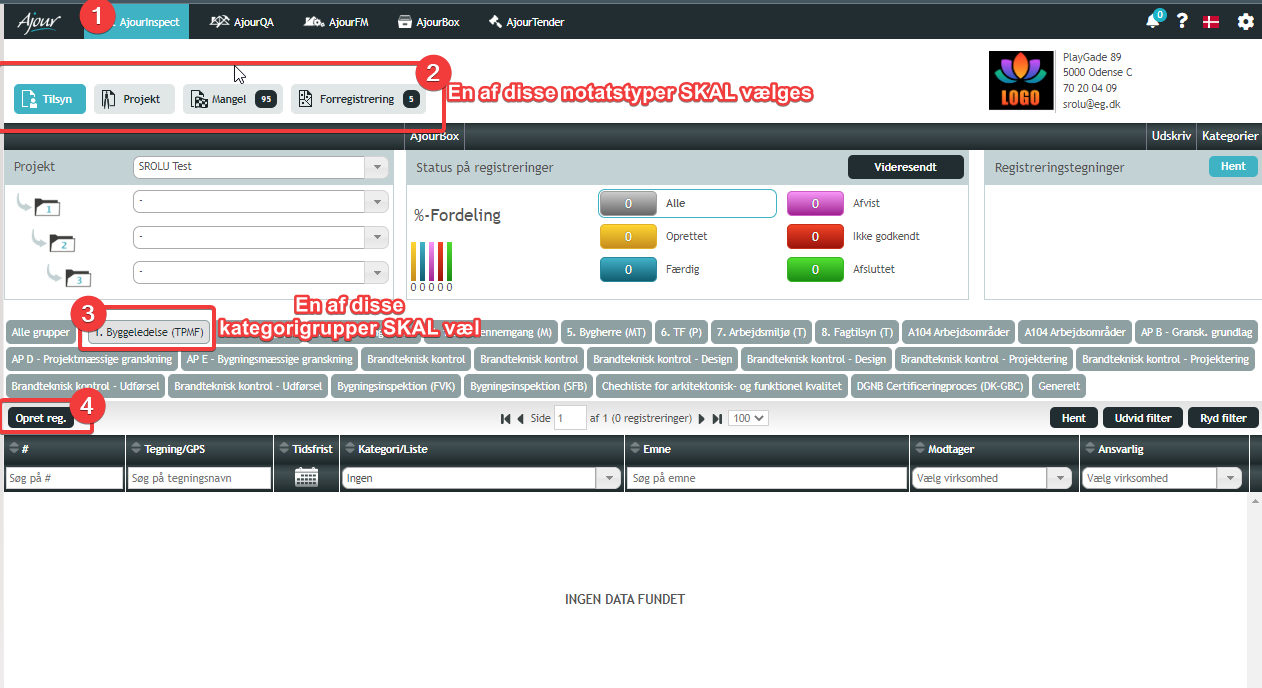
  1. The user has not selected a note type or pressed a category group, so the black (Create registration button) does not appear.
Solution #

  1. The user must contact an administrator on the system to obtain the correct licence.
  2. The checkboxes must be enabled under Inspect → Registrations → Create → set the relevant checkboxes.
  3. The user must select a note type and a category group before the Create Reg. button appears.
Updated on September 16, 2026

What are your Feelings

  • Happy
  • Normal
  • Sad

Share This Article :

  • Facebook
  • X
  • LinkedIn
  • Pinterest
User can’t see their registrations/ drawings on registrations in inspect/QAUser cannot delete registration
Table of Contents
  • Symptom
  • Description
  • Solution

© 2026 EG Ajour Help

  • Guides
    • AjourBox
    • AjourTender
    • App
    • General
    • Inspect & QA
    • Users & permissions
  • English
  • Dansk