Symptom #
The user cannot see their folder in AjourBox, despite being told that they can find their folder in AjourBox, where they for example need to download documents from or submit their QA report.
Description #
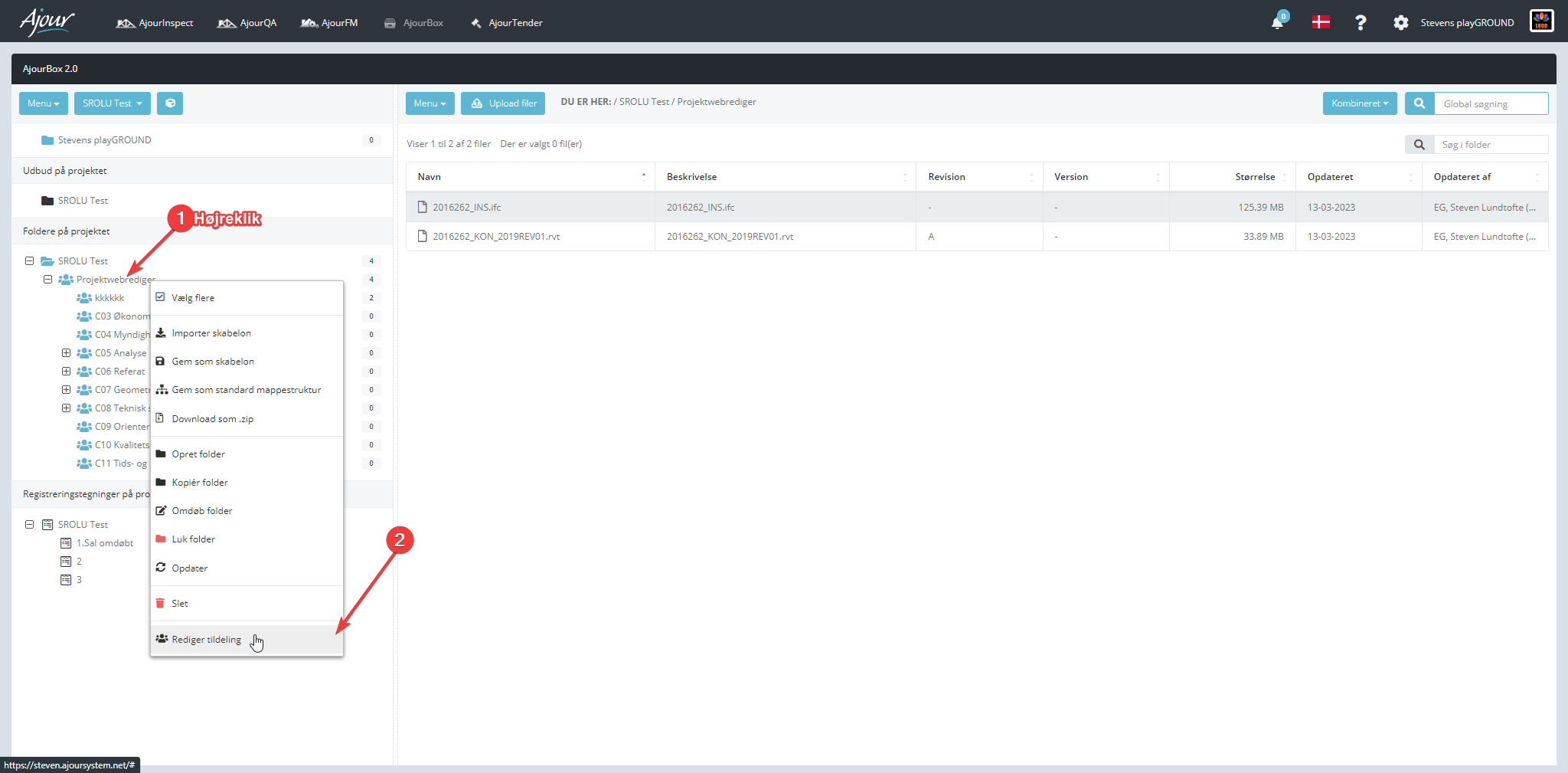
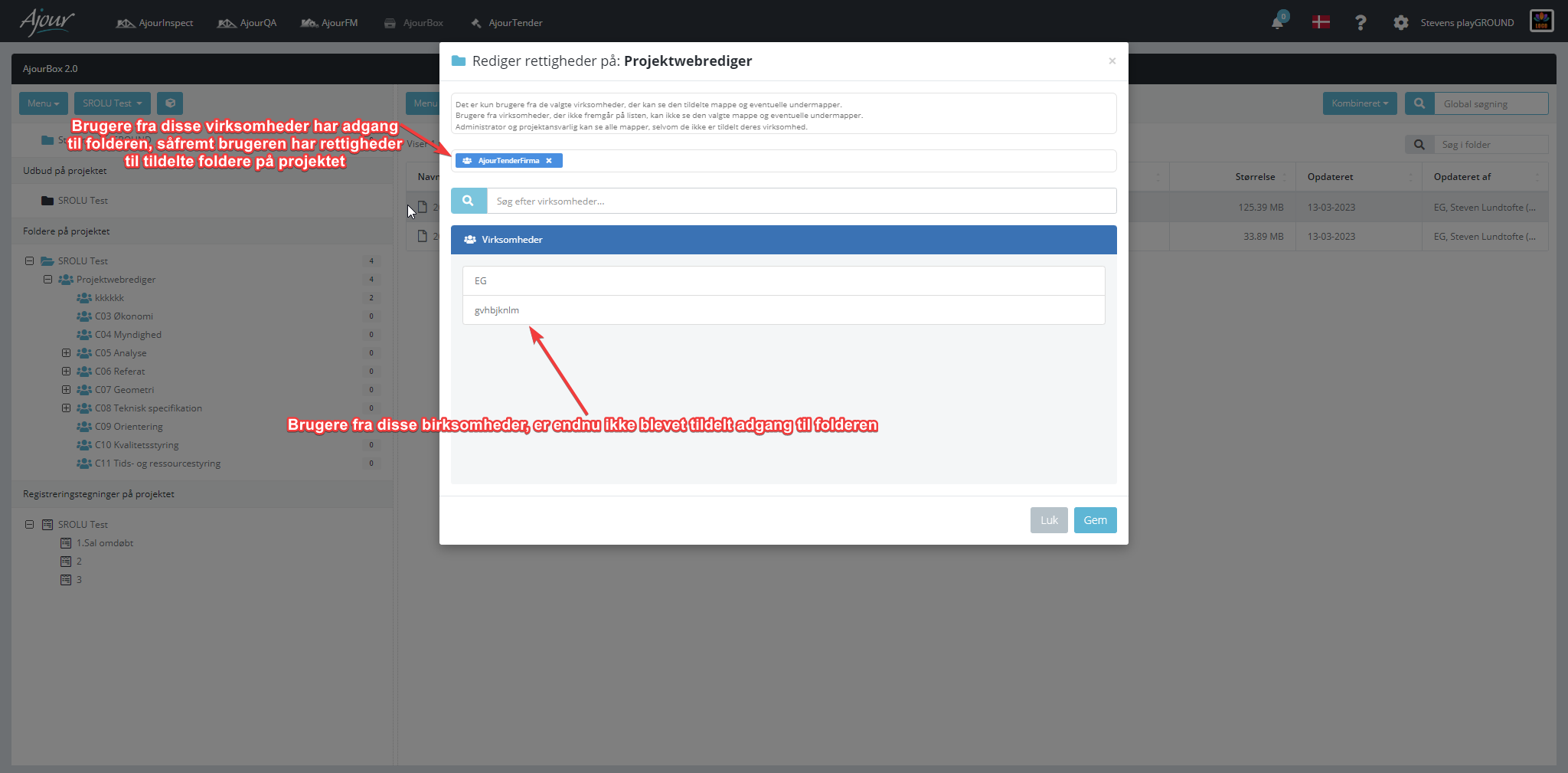
The issue most commonly occurs if the folder in AjourBox is assigned and the user's company is not on the list of companies that have access to the folder.
Solution #
The issue can be resolved by the following:
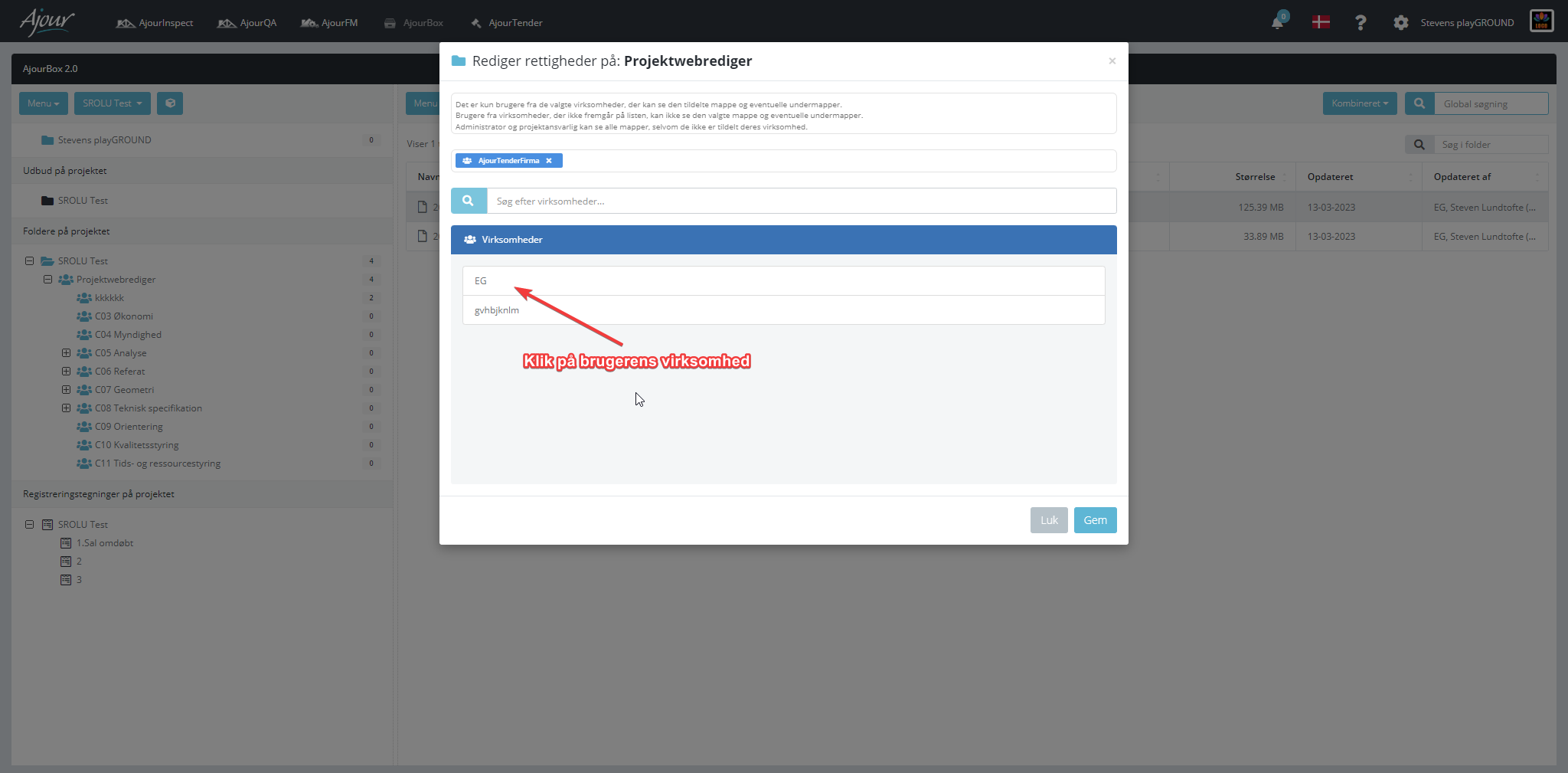
- Verify that the user's company is assigned, if not, do the following:
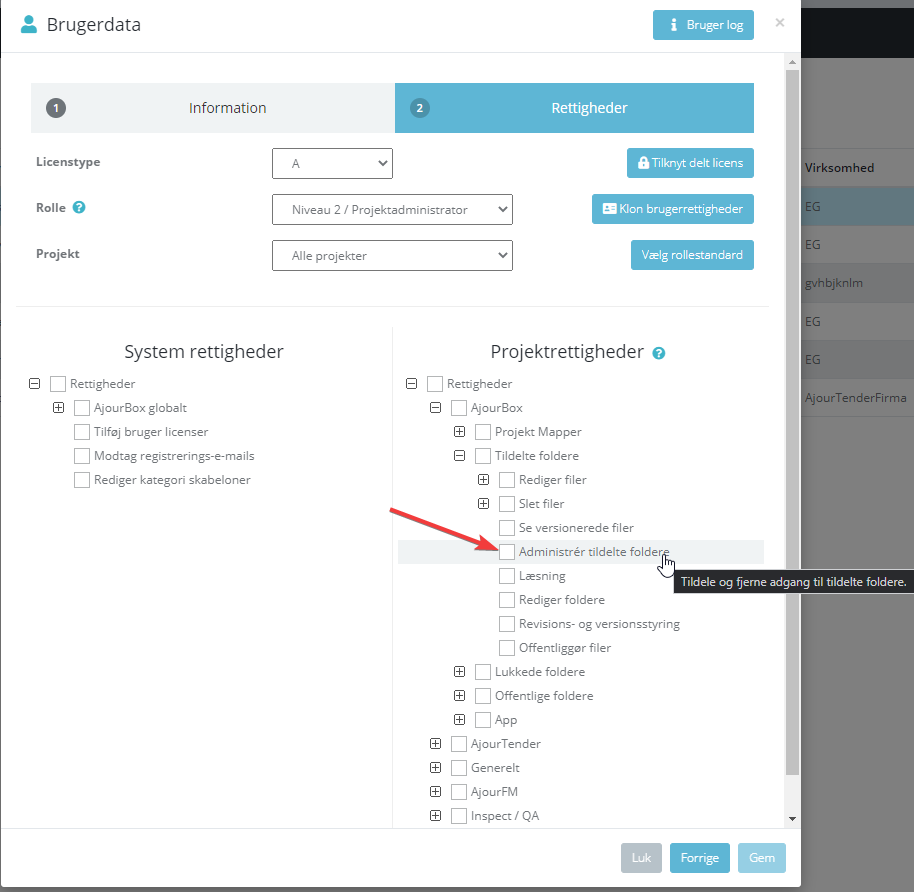
- Verify that the user has permissions to assigned folders on the project in the administration:
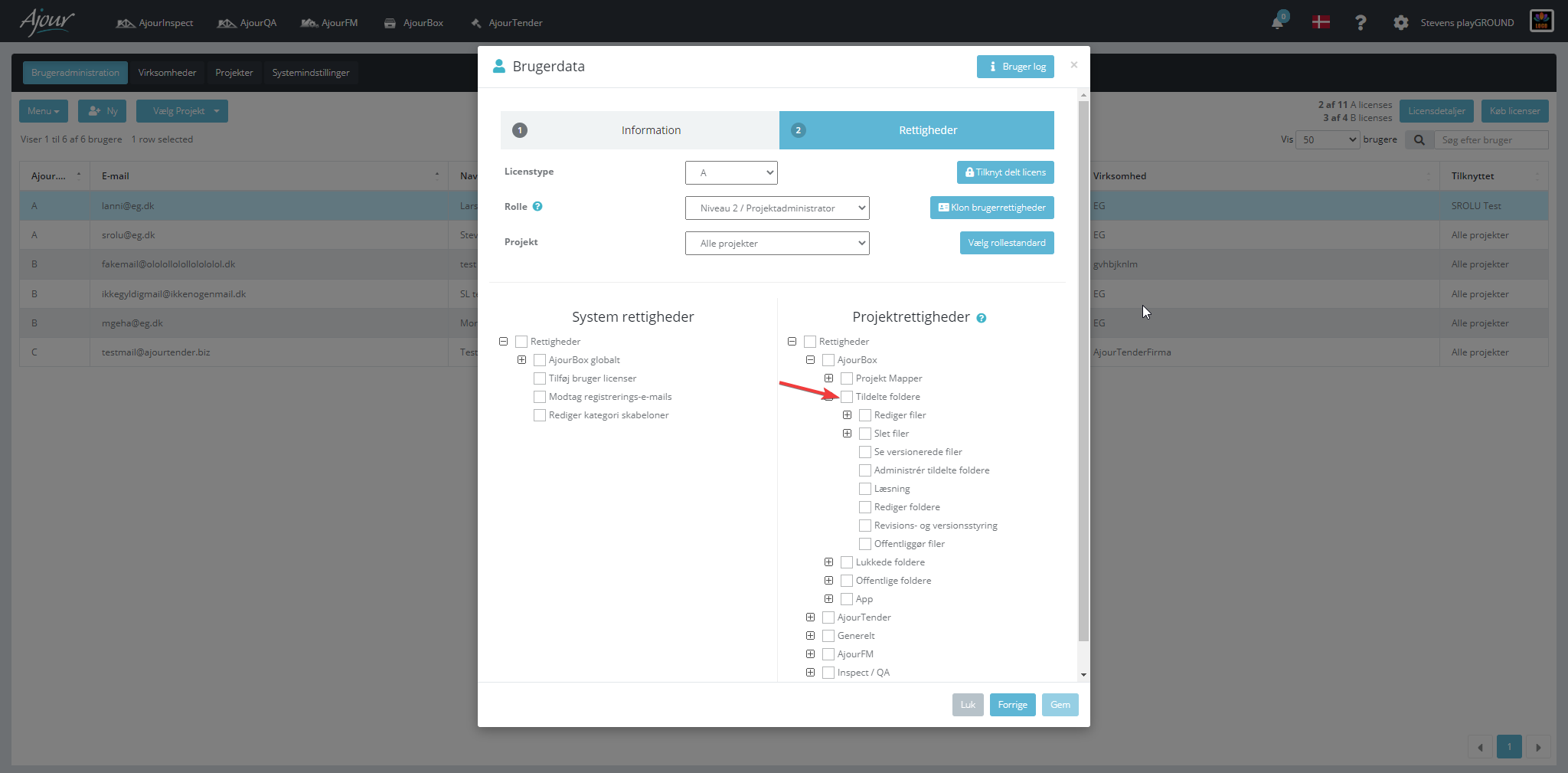
A side note on this is that all users with "Manage assigned folders" can see ALL assigned folders on the project regardless of whether they are assigned or not.